

AI Agents Examples: 15 Real-World Agents in Action (2026)
Fifteen real-world AI agents examples handling admin, support, sales, coding, research, and more in 2026 - what each one actually does and how to put it to work.
On this page
- What is an AI agent?
- Types of AI agents you’ll see in these examples
- 15 real-world AI agents examples in action
- 1. The admin agent (Catch)
- 2. The customer support agent
- 3. The coding agent
- 4. The sales development agent
- 5. The research agent
- 6. The voice agent
- 7. The data analysis agent
- 8. The recruiting agent
- 9. The marketing agent
- 10. The IT and DevOps agent
- 11. The finance and accounts payable agent
- 12. The legal agent
- 13. The shopping and procurement agent
- 14. The healthcare admin agent
- 15. The personal productivity agent
- What separates a great AI agent example from a mediocre one
- How to start using AI agents at work
- Frequently Asked Questions
AI agents come up in every conversation about work right now, but the language stays abstract. You hear “autonomous,” “agentic,” “the future of work,” and you still don’t have a clear picture of what an agent actually does day to day. The clearest way past the abstraction is to look at real ones.
So that’s what this is. A walk through 15 AI agents examples that are doing real work right now, in 2026, across admin, support, sales, coding, research, and a few corners you might not expect. For each one I’ll keep it concrete: what the agent does, where it shows up, and the kind of work it actually pulls off a person’s plate.
I’m Nir, co-founder of Catch. We build an agent that handles the administrative work of an executive, so I spend most of my days thinking about what separates an agent that genuinely lightens your load from one that just looks slick in a demo. That’s the lens I’ll keep coming back to.
What is an AI agent?
An AI agent is software that takes a goal, makes its own calls about how to reach it, and then takes real actions to get there, without a person directing every single step. That last bit is the whole difference between an agent and a chatbot. A chatbot answers when you ask. An agent goes and does the thing.
Three traits tend to separate a real agent from a fancy assistant:
- It acts, not just suggests. It sends the email, books the table, opens the pull request. It doesn’t hand you a draft and then wait around for you.
- It decides. Given a goal, it works out the steps, picks the tools, and adapts when something shifts, rather than marching through one hard-coded script.
- It’s proactive. The good ones surface things you never asked about. A conflict on your calendar, a customer about to churn, a failing test, and they handle it.
A workflow automation runs the exact steps you defined, every time, no more no less. A generalist like ChatGPT or Claude answers brilliantly but then sits there waiting for your next prompt. An agent lives somewhere between and beyond both: it owns an outcome and keeps working until it’s actually done.
Types of AI agents you’ll see in these examples
The 15 examples below fall into a handful of practical buckets, and it helps to know the types of AI agents before you read through them:
- Domain agents are built for one job and go deep on it: admin, customer support, coding, recruiting. They tend to be the most reliable, mostly because the entire product is tuned for that one domain.
- Generalist agents can take on open-ended tasks across domains. Flexible, sure, but you end up steering them a lot more.
- Single-task agents do one narrow thing well, like booking a meeting or summarizing a call.
- Multi-step, autonomous agents chain a bunch of actions together and make judgment calls as they go.
Most of the strongest real-world agents I’ve come across are domain agents. They know their lane, and they own it end to end. If you’re trying to pick one, our buyer’s guide to the best AI agent platforms compares them on scope, autonomy, and price.
15 real-world AI agents examples in action
Here are 15 AI agents examples doing real work in 2026. I’ve put the admin agent first because it’s the one I know best, and the one that touches every executive’s day whether they like it or not.
1. The admin agent (Catch)
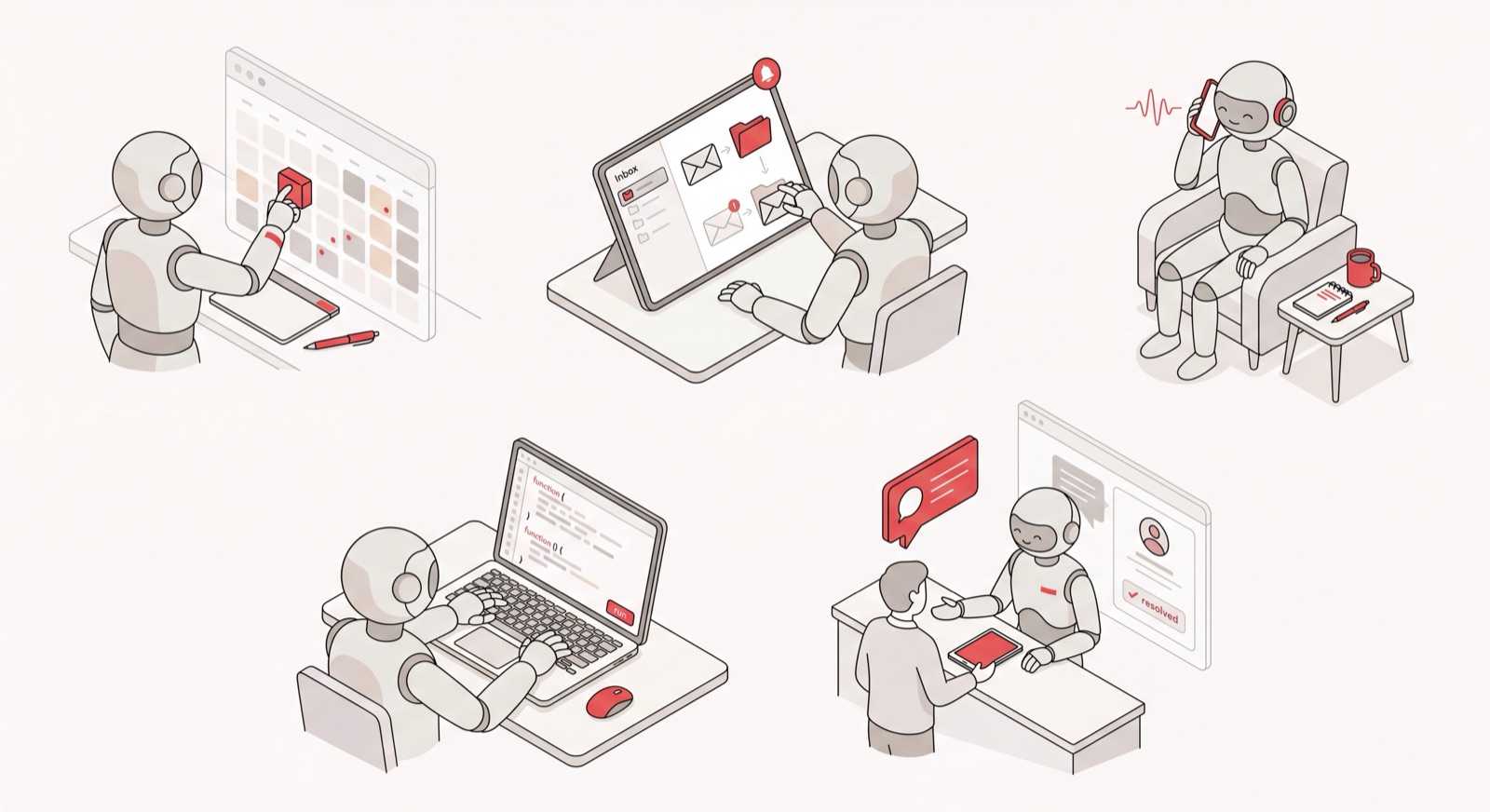
Catch is an AI agent that handles the administrative load of an executive end to end: calendar, email, scheduling, bookings, real phone calls. We call it your Admin Savior, because the whole point is to take the boring, time-eating stuff off your plate so you can spend your day on the work only you can do.
Here’s what that looks like in practice:
- It runs your calendar, catches a double-booking, reaches out to the other party, and reschedules it. It doesn’t just flag the conflict and leave the cleanup to you.
- It triages your inbox and pings you by text only when something genuinely needs you, then drafts and sends the routine replies on its own.
- It spins up a scheduling link in seconds with whatever constraints you throw at it: “mornings only, next week, just these slots.”
- It places real outbound phone calls (booking a restaurant, arranging a late hotel checkout) and says upfront that it’s an AI on the call: “Hi, I’m the AI agent for John.”
You talk to it the way you’d talk to a person, through Slack, email, text, iMessage, or a phone call. Setup runs under three minutes: connect your email, grant permissions, start chatting. No workflow to build. Pricing is a flat $99 a month with voice calls included and no per-call fees. Catch is also SOC 2 Type II certified, passed Google’s CASA Tier 2 review, and hosts data on US soil, which matters a lot when an agent has access to your calendar and inbox.
This is the line between an agent that takes action and one that just talks. Catch doesn’t try to replace your task manager either; it integrates with tools like Asana and Notion instead of asking you to switch. For the full picture of what this category does, see our guide to the AI executive assistant.
2. The customer support agent
Customer support is probably where autonomous agents have moved fastest. Tools like Intercom’s Fin, Sierra, and Decagon don’t just suggest a canned reply. They read the customer’s question, pull the relevant account data, resolve the issue, and only kick it up to a human when they genuinely can’t.
A solid support agent handles refunds, subscription changes, and the endless “where’s my order” questions on its own, around the clock. What you get is faster resolution times, plus human agents freed up for the hard, emotional cases that actually need a person on the other end.
3. The coding agent
Coding agents write, test, and ship software. Claude Code, GitHub Copilot’s agent mode, Cursor, and Devin can take a plain-English request like “add rate limiting to the login endpoint,” produce a working change, run the tests, and open a pull request for review.
The leap here is autonomy. Earlier tools autocompleted a line at a time and called it a day. Today’s coding agents plan a multi-file change, debug their own mistakes, and keep iterating until the tests pass. They’re some of the clearest examples of AI agents in the workplace right now.
4. The sales development agent
Sales development agents research prospects, write personalized outreach, and manage the early back-and-forth of a deal. Agents from companies like 11x and Artisan can build a target list, dig up context on each account, draft a first email that actually reflects that context, and follow up on a schedule.
There is a real caveat. Outreach agents are only as good as their judgment about what’s worth sending. The strong ones personalize from real signals; the weak ones blast generic mail at scale and hope it lands. Disclosure matters here too, and the best implementations are upfront that a prospect is talking to an AI.
5. The research agent
Research agents go off, read dozens of sources, and come back with a cited report. Deep-research modes in ChatGPT, Gemini, and Perplexity will take a question like “compare the top five project management tools for a 50-person team” and spend several minutes browsing, cross-checking, and writing up an answer with links you can follow.
This is multi-step autonomy you can actually watch happen. Instead of one search and one answer, the agent decides what to look up next based on what it just found, more or less the way a human analyst would chip away at a problem.
6. The voice agent
Voice agents answer and place real phone calls. On the inbound side, they pick up customer calls, understand the request, and either resolve it or route it. On the outbound side, they’ll call a clinic to confirm an appointment or a supplier to chase down an order.
Catch is one example on the outbound side for executives, working as an AI phone assistant that makes real outbound calls. It’ll call a hotel or restaurant on your behalf and always say upfront that it’s an AI. Voice is one of the hardest channels to get right, which is exactly why so few agents handle it natively rather than tacking it on as a paid add-on.
7. The data analysis agent
Data analysis agents turn a plain question into a query, a chart, and an explanation. Ask “which regions missed target last quarter and why,” and the agent writes the SQL, runs it, builds the visualization, and sums up what it found in language a non-analyst can actually use.
These agents close the gap between having data and understanding it. The work that used to mean filing a ticket with the data team and waiting two days now happens in a back-and-forth conversation.
8. The recruiting agent
Recruiting agents source candidates, screen applications, and handle the first round of scheduling. They scan inbound resumes against a role, surface the strongest matches, reach out to passive candidates, and book screening calls, all before a recruiter has spent a single minute.
The real win is at the top of the funnel, where the volume is highest and the work is most mind-numbingly repetitive. A recruiter’s judgment still decides who advances; the agent just clears away the busywork that usually buries it.
9. The marketing agent
Marketing agents draft content, build campaigns, and tweak them based on performance. They’ll churn out a batch of ad variations, schedule social posts, write a first draft of a newsletter, and flag which creative is underperforming so a marketer can step in.
The strongest marketing agents stay on a short leash for brand voice and final sign-off while running the production grind underneath. They’re a force multiplier for a small team, not a replacement for taste.
10. The IT and DevOps agent
IT and DevOps agents watch systems, triage incidents, and often fix them outright. When an alert fires, the agent pulls the logs, pins down the likely cause, checks recent deploys, and either proposes a fix or rolls back the bad change, then writes up what happened for everyone else.
For an on-call engineer at 3 a.m., that’s the difference between a 40-minute investigation and a one-line confirmation. These agents really shine in environments where speed of diagnosis is everything.
11. The finance and accounts payable agent
Finance agents process invoices, match them to purchase orders, flag anomalies, and prep reconciliations. Platforms like Ramp and Brex use agents to read a bill, check it against the contract, route it for approval, and schedule the payment.
The value is in catching what a tired human misses: a duplicate invoice, a price that doesn’t match the agreed rate, spread across hundreds of transactions a month. Accuracy at that kind of volume is exactly the sort of thing software should own.
12. The legal agent
Legal agents review contracts, surface risky clauses, and answer questions against a whole body of documents. Tools like Harvey and Spellbook read an agreement, compare it to a company’s standard terms, and mark every spot that deviates, in minutes rather than the hours a manual review eats up.
Lawyers don’t hand final judgment to the agent, and they shouldn’t. But the first pass, the part where you find the issues worth a human’s attention, is work an agent does faster and more consistently than a person squinting through page after page.
13. The shopping and procurement agent
Shopping agents browse, compare, and complete purchases. Consumer versions can find a product that fits a set of constraints, drop it in a cart, and check out. On the business side, procurement agents source suppliers, request quotes, and place orders within policy.
This is real-world action in its most literal form: the agent doesn’t just recommend the thing, it actually buys it. The guardrails, things like spending limits and approval steps, are what make it safe to delegate in the first place.
14. The healthcare admin agent
Healthcare admin agents handle the paperwork side of care: scheduling appointments, verifying insurance, sending reminders, following up after a visit. They take the front-desk and back-office load off clinics that are chronically short-staffed.
Much like Catch in the executive world, these agents win by owning the admin nobody went to medical school to do, so the clinical staff can focus on patients instead of phone tag and forms.
15. The personal productivity agent
Personal productivity agents live inside the tools where you already work: your notes, your docs, your task list. Notion AI and agents like it will summarize a long document, turn a meeting transcript into action items, and keep a project’s tasks updated as things shift around.
These tend to be assistive rather than fully autonomous. They help with the work in front of you instead of running off to act on their own. Useful, no question, but a step short of the agents that own an outcome end to end.
What separates a great AI agent example from a mediocre one
After working through 15 of them, the pattern is hard to miss. The agents worth your money share a few traits, and the ones that let you down share the opposite.
It takes action, not just notes. A real agent sends the email, books the call, ships the code. If it stops at “here’s a draft,” you’re still doing the job. It just shuffled the work around.
It’s proactive. The best agents surface what you didn’t ask about. A generalist assistant waits for your prompt and acts only when told. A real agent follows through on its own, because it’s watching for the things that matter without being prompted, and it uses judgment about when something actually needs your attention.
It knows its lane. Domain agents beat generalists at their own job, pretty much every time. An agent built for admin, support, or contracts has a depth that a do-everything tool just can’t match.
It earns trust. An agent with access to your calendar, inbox, or customer data has to be secure and careful. It shouldn’t act on a bad assumption, and it should be upfront about being an AI. Look for real credentials, things like SOC 2, named audits, and data residency, not vague assurances.
It’s honest about its limits. A good agent asks when it isn’t sure instead of guessing and making you look bad. That’s not a weakness. It’s what makes delegation safe in the first place.
How to start using AI agents at work
You don’t need some big transformation program to get value from an agent. Start where the pain is sharpest and the task is clearest.
- Pick your worst time-sink. The admin pile, the support queue, the invoice stack, whatever drains your hours without touching your real skills.
- Choose a domain agent for it. A purpose-built agent will outperform a generalist you have to babysit. Match the agent to the job.
- Check the trust signals. Before you connect your data, confirm the security posture: certifications, where data is hosted, whether your data trains third-party models.
- Start narrow, then widen. Give it one job, watch how it handles real work, and expand its scope as it earns your confidence.
For executives, the admin pile is almost always the place to start, simply because it’s the work that eats the most time and pays off the most when you hand it off. If you want to compare the field first, our ranking of the best AI agents by use case covers admin, scheduling, email, and more. That’s the whole reason Catch exists. You can get started in under three minutes and hand off your calendar, inbox, and scheduling the same day.
Frequently Asked Questions
What is an AI agent?
An AI agent is software that takes a goal, decides how to reach it, and takes real actions to get there without a person steering every step. Unlike a chatbot that only answers questions, an agent does the actual work: sending emails, booking meetings, or writing code on your behalf.
What are some real examples of AI agents?
Real AI agents examples include Catch for executive admin, Fin and Sierra for customer support, Claude Code and Cursor for software development, deep-research modes in ChatGPT and Perplexity, and finance agents from Ramp and Brex. Each one is built to own a specific outcome end to end.
What are examples of AI agents in the workplace?
Around the office, you’ll find agents handling admin and scheduling, customer support tickets, sales outreach, recruiting, IT incidents, contract review, and accounts payable. These domain agents take repetitive, time-consuming work off employees so they can focus on the higher-value stuff.
What are the main types of AI agents?
The practical types of AI agents are domain agents (built for one job like admin or support), generalist agents (flexible across tasks), single-task agents (one narrow function), and multi-step autonomous agents (which chain many actions together). Most of the strongest real-world agents today are domain agents.
How is an AI agent different from a chatbot?
A chatbot responds when you ask it something and then stops there. An AI agent takes a goal, makes its own decisions, and carries out multi-step actions in the real world. It acts rather than just talks, and that action-taking is the defining difference.
Are AI agents the same as ChatGPT or Claude?
Not quite. ChatGPT and Claude are powerful generalist assistants, but they mostly wait for your prompt and answer it. An agent works toward an outcome on its own and takes action across your tools. Plenty of people run a generalist alongside a domain agent; Catch users often keep it next to Claude.
Can AI agents take real-world actions like phone calls?
Yes. The most capable agents do far more than generate text. They send emails, complete purchases, and place real phone calls. Catch, for one, will call a hotel or restaurant on an executive’s behalf and identify itself as an AI right at the start of the call.
Are AI agents safe to give access to my data?
A trustworthy agent should be transparent about its security. Look for certifications like SOC 2 Type II, an external audit, clear data hosting, and a commitment not to train third-party models on your data. Catch meets all of these, including CASA Tier 2 and US data hosting.
How much do AI agents cost?
Pricing varies a lot by category, anywhere from free generalist tiers to enterprise contracts. Catch is a flat $99 a month for full executive admin with voice calls included and no per-call fees.
Which AI agent should I start with?
Start with the agent that targets your biggest time-sink. For executives buried in calendar, email, and scheduling, an admin agent like Catch delivers the fastest payback, since it takes over the work that drains the most hours and rewards delegation the most.
Keep reading
Related posts
Top AI Assistants for 2026: 12 Tools Tested and Ranked
We tested and ranked the top AI assistants for 2026 — 12 tools for executives compared on admin scope, proactivity, voice, channels, and price.
Best AI Assistants of 2026: The Definitive Ranking
A definitive ranking of the best AI assistants of 2026, sorted by what each one actually does well — from taking admin off your plate to writing, research, and calendar work.
Best AI Virtual Assistant in 2026: 8 Tools Ranked
The best AI virtual assistant tools in 2026, ranked and reviewed. Compare what each one actually does on scope, proactivity, channels, voice, and price.