

Personal AI Agent: The 2026 Guide to Picking One That Actually Acts
A 2026 guide to choosing a personal AI agent that takes real action — sending the email, making the call, handling your admin — instead of just suggesting what you could do.
On this page
- What is a personal AI agent?
- The gap: most “agents” assist, they don’t act
- How to pick a personal AI agent that actually acts
- 1. Does it take real-world action, or just draft?
- 2. Is it proactive, or does it wait to be prompted?
- 3. Does it learn you, or start from a blank slate?
- 4. Does it live where you already work?
- 5. Does it know when to act and when to ask?
- 6. Is the pricing flat and honest?
- 7. Can you trust it with your calendar and inbox?
- 8. Does it fit your stack, or demand you replace it?
- Personal AI agent vs. the alternatives you’re probably weighing
- What a personal AI agent actually does for you, day to day
- Frequently Asked Questions
Most of what’s sold as a “personal AI agent” right now doesn’t really do anything. It talks. It suggests. It drafts something and leaves it sitting there, waiting for you to click send. That isn’t delegation. The work never actually leaves your plate.
I’m Nir Sabato, co-founder of Catch. We build a personal AI agent that takes the admin off an executive’s plate, the stuff that’s boring to you but important to us. So I spend most of my week inside these tools, and I keep getting asked the same thing: which personal AI agent should I actually buy? The label tells you next to nothing. Two products will both call themselves a personal AI agent, and one of them resolves your calendar conflict by emailing the other person to move the meeting, while the other just colors the conflict red and hopes you noticed.
So treat this as a buying guide built around a single question: does it actually act? Below I’ll cover what a personal AI agent really is, the gap that trips up most buyers, and the criteria I’d use to pick one in 2026.
What is a personal AI agent?
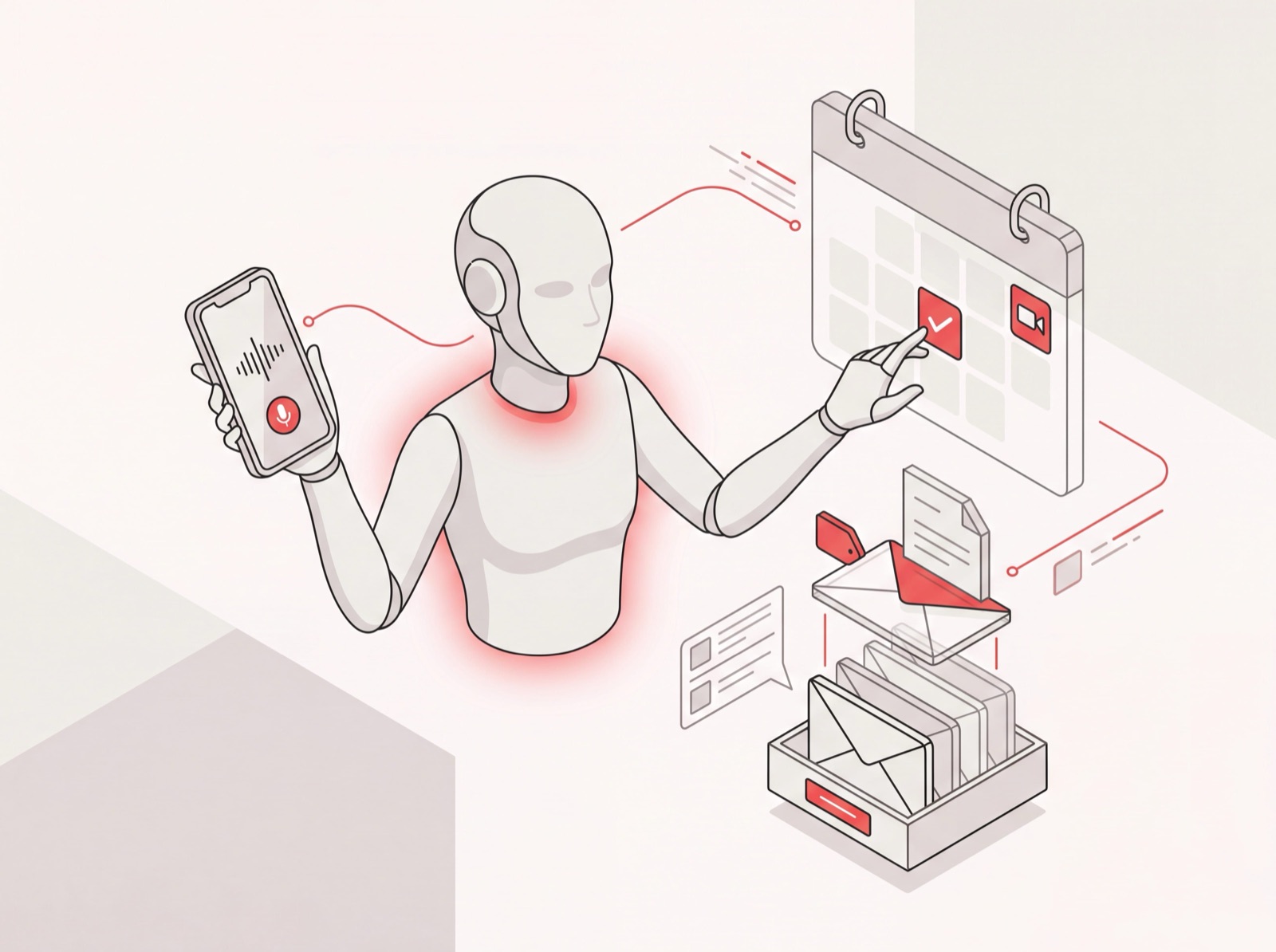
A personal AI agent is software that takes real actions on your behalf - sending emails, scheduling meetings, making phone calls, updating your tools - rather than just answering questions or drafting text you still have to finish yourself. The “agent” part is the whole point: it does the work, not just the thinking about the work.
That’s where an agent splits from a chatbot. A chatbot responds when you prompt it. An agent has a job, keeps an eye on the things that job depends on, and acts when something needs doing. You tell a chatbot “help me write a follow-up.” You tell an agent “make sure nobody important goes un-replied-to this week,” and then you forget about it.
For a busy executive, the version that earns its keep is admin. Calendar, email, scheduling, bookings, reservations, prep, all the work that fills your day without moving anything forward. At Catch we call ourselves your Admin Savior for that exact reason. The category label most people search for is AI executive assistant, which is a fair description of the job. But “assistant” sells it short. A great personal AI agent isn’t there to assist you with admin. It’s there to take the admin off your hands completely.
The gap: most “agents” assist, they don’t act
Here’s the trap I watch people fall into. They test a personal AI agent, it writes a genuinely good email draft, and they think “great, this works.” Then three weeks in they realize they’re still doing all the same work: reviewing every draft, clicking send on every message, copying things between tools. The agent got them from a blank page to a draft. It never got them to done.
Action is the dividing line in this whole category, and it happens to be the one spec the marketing pages stay quietest about. A lot of tools that look agentic are really just:
- Drafters - they generate text and hand it back. You still send everything.
- Suggesters - they surface a conflict or a stale thread, then wait for you to decide and execute.
- Workflow builders - blank-slate engines where you define every rule and trigger before anything happens. Powerful, but now you’re the one doing setup work, which is its own admin job.
None of those are wrong, exactly. They’re just not delegation. Delegation means the thing comes off your plate and lands on someone else’s, and you trust it’ll get handled. So when you’re sizing up a personal AI agent, the first question isn’t “is it smart?” It’s “does it finish the job without me?”
How to pick a personal AI agent that actually acts
Here are the eight criteria I’d run any personal AI agent through before trusting it with my week. Score each one honestly. A tool can ace four of these and quietly flunk the rest.
1. Does it take real-world action, or just draft?
This is the whole ballgame. Can it actually send the email, book the meeting, place the phone call, update the record? Or does it stop at “here’s a draft for you to review”?
Push past the demo. Here’s a good test: ask it to call a restaurant and book a table for four at 7pm, or to email three people about rescheduling a meeting. A real personal AI agent just does it. Catch places an actual outbound call and opens with “Hi, I’m the AI agent for [Name],” then handles the booking. A drafting tool hands you a phone number and a suggested script. One took the task off your plate. The other added a step to it.
2. Is it proactive, or does it wait to be prompted?
A reactive agent only moves when you poke it, which means the mental load of remembering what needs doing stays parked on you. That’s the genuinely exhausting part. The version worth having notices things on its own, like a forming calendar conflict, an important email that’s gone two days without a reply, or a missing to-do before a meeting, and it acts or flags it without being asked.
General-purpose chatbots are bad at this by design. They’ll cheerfully agree to “ping me every morning about my cold-call blocks” and then never do it, because they don’t run in the background watching your world. A focused personal AI agent does, since it’s built for one domain and lives in your calendar and inbox.
3. Does it learn you, or start from a blank slate?
The agents worth keeping build a picture of how you actually operate: your priorities, who matters, your meeting preferences, your work-from-home days, the buffers you like between calls. That profile is what lets it make good calls without a 10-minute briefing every single time.
Blank-slate workflow engines flip that burden back onto you. You configure the rules, you define the triggers, you maintain the whole thing. A learning agent, by contrast, gets sharper the more you use it, because it’s absorbing context from your real data and from every conversation rather than waiting for you to program it.
4. Does it live where you already work?
A personal AI agent you have to remember to open is a personal AI agent you’ll forget to use. The good ones meet you in the channels you already live in: Slack, email, text message, iMessage, even a plain phone call. You fire off “move my 3pm to tomorrow” by text from the back of a cab and it’s handled. No app, no login.
Catch was built channel-first for this reason, so there’s barely a dashboard to log into. You talk to it the way you’d text a human assistant. If a tool only works inside its own web app, that’s friction it’s quietly adding to your day.
5. Does it know when to act and when to ask?
This is the trust dimension, and it’s a subtle one. You don’t want an agent that guesses and embarrasses you, booking the wrong John or firing off a half-baked reply. But you also don’t want one so timid it checks in on everything, because then you’re right back to approving every micro-decision yourself.
The behavior you’re after is basically good-EA behavior: act confidently when the data is clear, ask a smart question when it genuinely isn’t. Say “schedule with John,” and if there are three Johns, it should ask which one. But if it knows you well, it shouldn’t make you spell out the obvious. A personal AI agent that won’t act on bad assumptions is one you can actually let off the leash.
6. Is the pricing flat and honest?
Watch the meter. Plenty of agents run on credit systems or per-action fees, and the “$49 plan” turns into something quite different once you’ve burned through your credits and bolted on voice minutes. You wind up rationing the very thing you’re paying to do work for you, which rather defeats the point.
My bias here is obvious. Catch is a flat monthly price with phone calls included and zero per-call fees, deliberately, because I think you should be able to use your agent without doing math in your head. Whatever you pick, model the real monthly cost at your usage, not the headline number. For context, that flat price is $99/month against the $120,000 - $180,000 a year an in-house executive assistant costs in the US.
7. Can you trust it with your calendar and inbox?
You’re handing a personal AI agent the keys to your email and calendar, some of the most sensitive data you own. So the security posture isn’t a footnote here, it’s a qualifier. Before you connect anything, check for real credentials, not vibes.
The bar I’d hold any agent to: SOC 2 Type II, a Google-verified app (Catch passed CASA Tier 2), data hosted in the US, and a clear promise that your data won’t be used to train somebody else’s models. If a tool can’t tell you plainly where your data lives and how it’s protected, that’s your answer right there. And a serious agent should always disclose that it’s AI, in its email signature (“On behalf of [Name]”) and on calls. It should never pretend to be a person.
8. Does it fit your stack, or demand you replace it?
A personal AI agent should slot into the tools you already run, not force a migration. If something pitches itself as a replacement for your entire project-management system, that’s a different product with a much bigger switching cost. The admin-focused agents work alongside your stack. Catch integrates with Asana and Notion to pull briefs and update tasks; it doesn’t ask you to rip them out. Plugging into your CRM, your calendar, and your messaging is table stakes. Replacing them shouldn’t be the price of entry.
Personal AI agent vs. the alternatives you’re probably weighing
Three comparisons come up every single time someone’s shopping for a personal AI agent, so let me be quick and direct about each.
vs. ChatGPT or Claude. Generalist AIs are extraordinary for analysis, writing, code, research. More than half of our own users run Catch alongside Claude. But a generalist can’t be proactive across everything, doesn’t live in your text messages or pick up a phone, and needs a prompt for every move. A focused personal AI agent is purpose-built for admin and runs without the prompting. Different tools, not really competitors.
vs. a scheduling tool. Plenty of products in this space only handle calendar work over email. Cc them and they’ll find a time. Useful, but narrow. A real personal AI agent treats scheduling as one job among many: email, calls, bookings, reservations, prep. If all you need is a meeting-time finder, go get one of those. If you need the whole admin load gone, you need more than a scheduler.
vs. a human executive assistant. A personal AI agent can fully handle the traditional EA workload - calendar, triage, scheduling, briefings - faster and around the clock, for a flat monthly fee instead of a six-figure salary. A human assistant isn’t available at 2am or over a holiday; a focused agent is, and it responds in seconds. No one needs to be let go in the process. The admin role gets delegated to software, which frees up a great person to grow into the higher-value, operational and in-person work only a human can do.
What a personal AI agent actually does for you, day to day
To make this concrete, here’s the kind of work a capable personal AI agent takes off your plate, the stuff Catch handles for executives every day:
- Resolves calendar conflicts by actually emailing the other party to move the meeting, not just flagging it.
- Schedules meetings and generates booking links on demand, with your constraints baked in (“mornings only, next week”).
- Triages your inbox and surfaces only the emails that genuinely need you, by text message, so you’re not babysitting your inbox all day.
- Sends and replies to email on your behalf, chasing quiet threads with judgment about what actually matters and looping you in only when a real decision is on the table.
- Reminds you of important things and flags what needs your attention, so nothing critical slips past you.
- Places real outbound calls (booking a restaurant, arranging a late hotel checkout) and handles the conversation end to end.
- Preps you for meetings, pulling briefs from your connected tools before you walk in.
Add that up across a customer base and it stacks fast: north of 5,000 meetings scheduled, 20,000 tasks delegated, and 200,000 emails handled. That’s not assistance. That’s the admin actually leaving your plate.
If you want to go deeper on the category, I’d point you to our full AI executive assistant guide, our roundup of the best AI agents in 2026 by use case, and some concrete AI agent examples of what these tools do in practice. If scheduling is your sharpest pain, start with the AI scheduling assistant breakdown, and you can see everything Catch plugs into here.
The short version: don’t buy a personal AI agent on how well it talks. Buy it on what it does without you. Run any tool you’re considering through the eight questions above, and the ones that only chat will sort themselves out pretty fast.
Want one that actually acts? Get Started with Catch and hand off the admin you never wanted in the first place.
Frequently Asked Questions
What is a personal AI agent?
A personal AI agent is software that takes real actions on your behalf, like sending emails, scheduling meetings, placing phone calls, and updating your tools, instead of only answering questions or producing drafts. The defining trait is autonomy: it finishes tasks rather than handing them back to you half-done.
How is a personal AI agent different from ChatGPT?
ChatGPT and other generalist AIs are reactive. They respond when you prompt them and don’t run in the background or take action across your apps. A personal AI agent like Catch is proactive and focused: it watches your calendar and inbox, acts without prompting, and lives in channels like text, iMessage, and phone that a generalist chatbot can’t reach.
What can a personal AI agent actually do?
A capable one manages your calendar and resolves conflicts, schedules meetings, triages and replies to email (chasing quiet threads when they matter), places real outbound phone calls for bookings, and preps you for meetings. The real test is whether it completes these tasks end-to-end or just suggests what you should do.
Is a personal AI agent the same as an AI executive assistant?
Largely, yes. “AI executive assistant” is the common search term for a personal AI agent focused on admin work. The label is accurate, though it undersells the goal: a strong agent doesn’t just assist with admin, it takes the admin off your plate entirely.
How do I choose the best personal AI agent?
Run it through eight questions. Does it take real action or just draft? Is it proactive? Does it learn you? Does it work in your channels? Does it know when to ask versus act? Is the pricing flat? Is it secure? Does it fit your stack instead of replacing it? The ones that only chat fail the first question fast.
How much does a personal AI agent cost?
It varies. Many tools run on credit systems or per-action fees that climb with use, so model your real monthly cost rather than the headline price. Catch uses a flat monthly fee of $99 with phone calls included and no per-call charges, compared to the $120,000 - $180,000 a year a human executive assistant costs in the US.
Is it safe to give a personal AI agent access to my email and calendar?
It can be, as long as the agent has a real security posture. Look for SOC 2 Type II certification, a Google-verified app, US-based data hosting, and a commitment not to train third-party models on your data. Catch holds all of these, including CASA Tier 2 verification.
Can a personal AI agent make phone calls?
Some can. Catch places real outbound calls on your behalf (booking restaurants, arranging hotel checkouts) and handles the conversation end to end, always disclosing it’s an AI with an intro like “Hi, I’m the AI agent for [Name].” Many tools labeled as agents can’t make calls at all, or charge per-minute add-ons for it.
Will a personal AI agent replace my project management tools?
A good admin-focused agent integrates with your stack rather than replacing it. Catch works alongside Asana and Notion, pulling briefs and updating tasks, rather than asking you to migrate off them. If a product pitches itself as a full replacement for your project management system, that’s a different category with a different switching cost.
Can a personal AI agent replace a human executive assistant?
For the traditional EA workload (calendar, email triage, scheduling, briefings), yes, a personal AI agent handles it fully, faster and around the clock for a flat fee. No one needs to be let go: the admin gets delegated to software while a great assistant grows into the higher-value, operational and in-person work only a person can do.
Keep reading
Related posts
Top AI Assistants for 2026: 12 Tools Tested and Ranked
We tested and ranked the top AI assistants for 2026 — 12 tools for executives compared on admin scope, proactivity, voice, channels, and price.
Best AI Assistants of 2026: The Definitive Ranking
A definitive ranking of the best AI assistants of 2026, sorted by what each one actually does well — from taking admin off your plate to writing, research, and calendar work.
Best AI Virtual Assistant in 2026: 8 Tools Ranked
The best AI virtual assistant tools in 2026, ranked and reviewed. Compare what each one actually does on scope, proactivity, channels, voice, and price.