

Executive Meeting Agenda Template: How C-Suites Run Meetings in 2026
A decision-first executive meeting agenda template, plus the cadence C-suites actually use to run leadership, board, and 1:1 meetings in 2026.
On this page
- What an Executive Meeting Agenda Template Should Actually Do
- How C-Suites Run Meetings in 2026
- The Executive Meeting Agenda Template
- Monthly Business Review Agenda Template
- Quarterly Strategy Session Agenda Template
- Executive 1:1 Agenda Template
- How to Run an Executive Meeting That Earns Its Hour
- Where Your Week Actually Goes
- Let Catch Handle the Admin Around the Meeting
- Frequently Asked Questions
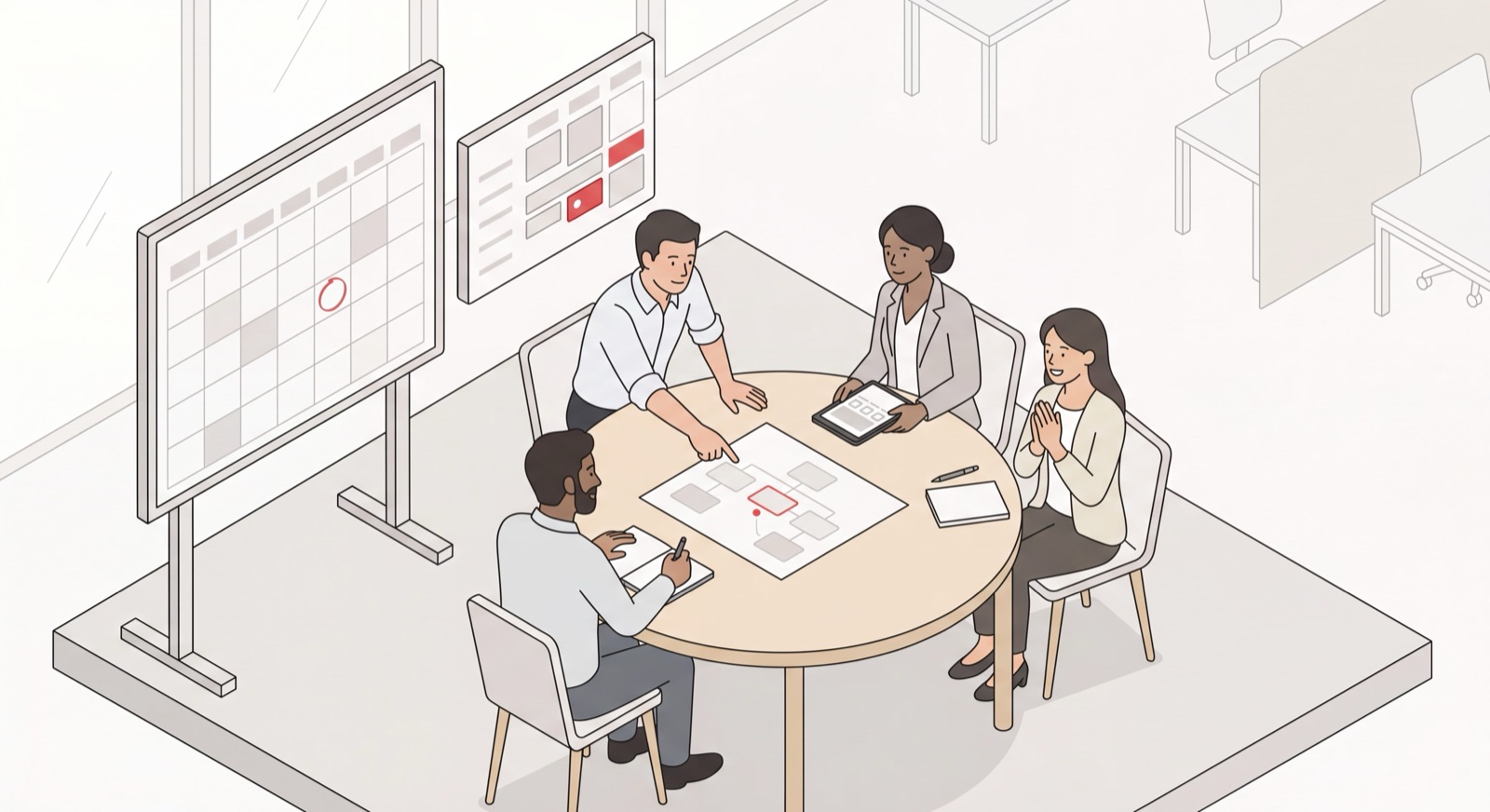
Most executive meetings are lost before anyone sits down. The reason is almost always the same: the agenda was a list of updates instead of a list of decisions. I’m Nir Sabato, co-founder of Catch, and a big chunk of my week goes to CEOs, VPs of Sales, and ops leaders at mid-market companies. The ones who run a tight leadership cadence tend to share one habit. They use an executive meeting agenda template that forces the room to decide, not report. Here’s the template I’d hand them, the way C-suites actually run their meetings in 2026, and how to stop bleeding your week into the admin around all of it.
What an Executive Meeting Agenda Template Should Actually Do
An executive meeting agenda template should turn leadership time into decisions, not status updates. That one rule is what separates a meeting worth the calendar block from a meeting that should have been a doc.
The mistake I run into most often is the C-suite meeting agenda that reads like a department roll call. Sales updates, then Marketing updates, then Product updates, then everyone files out. Nothing got decided. All of it could have been shared async. A good executive meeting template flips that. It pushes the reading material out ahead of time and saves the room for the calls only leadership can make.
A strong executive meeting agenda template does four things:
- Names the decisions up front. Each topic is framed as a question the room has to answer, like “Do we move the launch to Q4?” Not a vague heading like “Launch update.”
- Sends pre-reads in advance. Metrics, dashboards, and context go out the day before. Reading a number off a slide in the meeting is about the most expensive way you can share it.
- Time-boxes without apology. Executive time is the priciest time in the building. Put minutes next to every line and defend them.
- Ends with owners and commitments. Every decision walks out with a name and a date on it, or it didn’t really happen.
If a topic doesn’t need a decision, a debate, or alignment from the people in the room, it has no business on the executive meeting agenda. Put it in a written update instead.
How C-Suites Run Meetings in 2026
The best-run C-suites in 2026 treat meetings as a cadence, not a habit. Each meeting has its own job, its own frequency, and its own agenda, so nothing important ends up crammed into the wrong room.
Here’s the cadence I keep seeing work at mid-market companies:
- Weekly leadership team meeting - short, operational, decision-focused. Unblock the week, surface cross-functional issues, make the calls that can’t wait.
- Monthly business review - the numbers meeting. Review performance against plan, dig into what’s off, decide what changes.
- Quarterly strategy session or offsite - the zoom-out. Fewer agenda items, more time per item, real debate on direction.
- Executive 1:1s - the manager-to-direct rhythm that keeps the weekly meeting short, because most issues get handled here first.
- Board meeting - quarterly, formal, and prepped days in advance.
The shift in 2026 isn’t some new meeting type. It’s that status reporting has left the meeting room for good. Updates now live in dashboards and written briefs the team reads beforehand. The meeting itself is for judgment. That’s why every template below opens with a decision and assumes the pre-read already happened.
The Executive Meeting Agenda Template
Here’s the core executive meeting agenda template for a weekly leadership team meeting. Copy it, drop it into the calendar invite, and tweak the time-boxes to fit your team. It’s built for a 60-minute leadership sync.
Meeting: Weekly Leadership Team Meeting Goal: Make the decisions that move the business this week Pre-read (sent 24h before): KPI dashboard, any decision memos
- Metrics check - exceptions only (10 min) - Each lead flags what’s off-plan, not everything
- Top decision of the week (15 min) - Owner frames the call; room decides
- Cross-functional blockers (10 min) - Each lead surfaces what’s stuck across teams
- Strategic topic of the week (15 min) - One forward-looking item, rotated
- Commitments & owners (10 min) - Confirm who owns what, by when
Decisions made: [Decision / owner / date] Action items: [Who / what / by when]
The “exceptions only” line in the metrics block is the single most valuable edit here. Leaders read the dashboard before the meeting. In the room, they only raise what’s off-plan and where they need help. That one change can hand you back 20 minutes a week.
If you want formats beyond the C-suite, our meeting agenda template collection has 12 copy-paste options covering team, board, 1:1, and more.
Monthly Business Review Agenda Template
A monthly business review agenda template is built around the numbers and, more to the point, what they mean. The goal is to decide what changes based on performance, not to narrate the dashboard line by line.
Meeting: Monthly Business Review Goal: Review performance against plan and decide what changes
- Headline results vs. plan (10 min) - CEO or CFO
- Deep dive: biggest miss (15 min) - Owning lead
- Deep dive: biggest opportunity (15 min) - Owning lead
- Decisions & resource shifts (15 min) - Leadership team
- Commitments for next month (5 min) - Chair
Action items: [Who / what / by when]
Quarterly Strategy Session Agenda Template
A quarterly strategy session agenda template trades breadth for depth. Three or four topics, real time on each, and space for the kind of debate that never fits in a weekly sync.
Meeting: Quarterly Strategy Session Goal: Align on direction and the bets for next quarter
- Last quarter: what we learned (20 min) - CEO
- Market & competitive shifts (20 min) - Strategy or product lead
- The two or three big bets (45 min) - Whole team
- Resourcing & trade-offs (30 min) - Whole team
- Commitments & owners (15 min) - CEO
Action items: [Who / what / by when]
Executive 1:1 Agenda Template
An executive 1:1 agenda template keeps the most valuable recurring meeting in your week from sliding into a status update. The direct sets most of the agenda. You bring priorities and feedback.
Meeting: Executive 1:1 - [Leader] & [Direct] Goal: Unblock, align, and develop
- Their topics & decisions needed (15 min) - Direct
- Blockers where I can help (10 min) - Direct
- My priorities & feedback (10 min) - Leader
- Development & the bigger picture (5 min) - Both
Action items: [Who / what / by when]
When your 1:1s are working, your leadership team meeting gets shorter, because most of the cross-functional noise gets handled one conversation at a time. If you run recurring team syncs too, our team meeting agenda template covers that format in depth.
How to Run an Executive Meeting That Earns Its Hour
A template gets you a good agenda. Actually running the meeting well is a separate skill. Three habits tend to separate the executives who run tight meetings from the ones who don’t:
- Protect the time-boxes out loud. When a topic hits its limit, say so and move on. Something like “We’re at time on this, let’s take the open thread offline.” The agenda is what gives you permission to do that.
- Force the decision. Before you leave a topic, ask the question plainly: “So what are we deciding?” If the answer is “let’s think about it,” assign an owner and a date to decide by. Indecision with a deadline still beats indecision without one.
- Capture commitments live. Get the action items written down before anyone stands up, each with a name and a date. A decision nobody owns is a decision nobody actually makes.
None of this is complicated. It’s discipline, plain and simple, and discipline gets a lot easier when the agenda already does half the work for you.
Where Your Week Actually Goes
Here’s the part that never makes it onto the agenda itself. Before any executive meeting can happen, someone has to find a time that works across five busy calendars, send the invite, chase down the two people who haven’t replied, reschedule when a customer call lands right on top of it, circulate the pre-read, and pull the latest numbers from wherever they happen to live. Then, once the meeting wraps, someone has to turn the commitments into follow-ups and make sure they actually move.
That coordination work quietly eats more of an executive’s week than the meetings themselves. And it’s exactly the kind of work no leader should be doing by hand.
Let Catch Handle the Admin Around the Meeting
This is the part I care most about. Catch is your admin savior. It takes the scheduling and coordination work off your plate so your leadership team can spend its time deciding instead of arranging.
You tell Catch what you need in plain language, whether that’s from Slack, email, text, iMessage, or a phone call, and it acts:
- Finds the time and sends the invite. Catch checks every leader’s calendar, picks a slot that works, and sends the invite. No back-and-forth.
- Resolves conflicts proactively. When a board call lands on top of your leadership meeting, Catch reaches out to reschedule one of them rather than just flagging the clash and leaving it for you.
- Circulates the agenda and pre-reads. Tell Catch the format you want, and it drops the agenda into the invite ahead of time, pulling context from connected tools like Asana and Notion.
- Makes the calls. Need a room booked or an external attendee confirmed? Catch places a real outbound phone call to handle it, and voice calls are included with no per-call fees.
Catch is proactive by design, so it chases the reschedules and circulates the pre-read without being told each time. It only acts when it’s sure, and asks a quick question when it isn’t. On the security side, Catch is SOC 2 Type II and CASA Tier 2, with all data hosted in the US. Pricing is a flat $99/month with voice calls included and no per-call fees. That’s a fraction of a human EA’s $120,000-to-$180,000 salary, and the traditional EA role is handled end to end - no one on your team needs to be let go, since that person can move into the operational and in-person work Catch doesn’t touch.
If you want the full picture of how this plays out across your whole calendar, our guide to the AI scheduling assistant covers the category, and our AI Executive Assistant overview goes deeper on the rest of the admin. The template above will tighten your next leadership meeting. Catch makes sure you never lose your week to the admin around it.
Frequently Asked Questions
What is an executive meeting agenda template?
An executive meeting agenda template is a reusable structure for a leadership meeting that organizes the time around decisions instead of status updates. It names the goal, frames each topic as a decision, time-boxes every item, and closes with owners and commitments, so the most expensive hour in the building actually produces something.
How do C-suites run meetings in 2026?
The best C-suites run meetings as a cadence rather than a pile of recurring blocks: a weekly leadership team meeting for operational decisions, a monthly business review for the numbers, a quarterly strategy session for direction, regular executive 1:1s, and a formal board meeting. Status updates move into written pre-reads, and the meetings themselves get saved for judgment calls.
What should be on a leadership team meeting agenda?
A leadership team meeting agenda should cover a quick metrics check on exceptions only, the top decision of the week, cross-functional blockers, one strategic topic, and a closing block to confirm commitments and owners. Keep it to five or six items so the meeting stays decision-focused.
How is an executive meeting agenda different from a regular team agenda?
An executive meeting agenda is built for decisions and trade-offs, where a regular team agenda usually centers on coordination and status. Executive agendas push the reading out as pre-reads, time-box more aggressively, and frame each item as a call the leadership team has to make.
How long should an executive meeting be?
Most weekly leadership meetings should run 60 minutes or less, and plenty can be shorter once status reporting moves to pre-reads. Monthly business reviews and quarterly strategy sessions run longer, since they cover fewer topics in more depth.
Should you send an executive meeting agenda in advance?
Yes. Send the agenda and any pre-reads at least 24 hours ahead so leaders show up having already read the numbers and context. Reading material in the room is the most expensive way to share something that could have been read beforehand.
What is a monthly business review agenda?
A monthly business review agenda is a structure for reviewing performance against plan and deciding what changes. It usually covers headline results, a deep dive on the biggest miss and the biggest opportunity, resource decisions, and commitments for the next month.
Can an AI assistant create and send executive meeting agendas?
Yes. Catch, an AI Executive Assistant, can attach an agenda to your invites, schedule the meeting across busy calendars, and pull relevant context from connected tools like Asana and Notion. It always identifies itself as AI, and it only acts once it has enough information to be sure.
Does Catch replace my project management tools?
No. Catch integrates with tools like Asana and Notion rather than replacing them. It can pull briefs and update tasks for a meeting, but your projects stay exactly where they already live. Catch just handles the scheduling and admin around them.
How much does Catch cost?
Catch is a flat $99/month, with voice calls included and no per-call fees or usage tiers. That’s a fraction of the $120,000-to-$180,000 a year it costs to hire a full-time US-based human executive assistant.
Keep reading
Related posts
Best AI Calendar Apps for 2026: 8 Tools Ranked
A ranked, hands-on look at the best AI calendar apps for 2026 — from full admin coverage to focus-time blocking — so you can pick the calendar tool that actually fits how you work.
Best Scheduling Apps for 2026 (Ranked for Executives)
A ranked guide to the best scheduling apps for 2026, judged for executive use — from full admin coverage to booking links and group polls — so you pick the right fit.
Free AI Schedule Generator: How to Build a Smart Calendar in Minutes (2026)
A free AI schedule generator turns your tasks and meetings into a working calendar in minutes. Here is how to build a smart calendar fast, the best free tools to try, and what separates a one-time generator from an assistant that keeps your schedule alive.